Plugins for Photoshop, Elements, Lightroom, PSP & others
Plugins for Photoshop, Elements, Lightroom, PSP & others
Mosaic Toolkit & Illumination
Fix Toolkit
Copyright 2005-2010 by Lotis Digital Arts
Lance Otis asked us to host two of his Photoshop-compatible plugins (for Windows). Both plugins can be used with Photoshop, Paint Shop Pro, Photo-Paint and many other image editing applications which support Photoshop plugins.
 |
 |
|
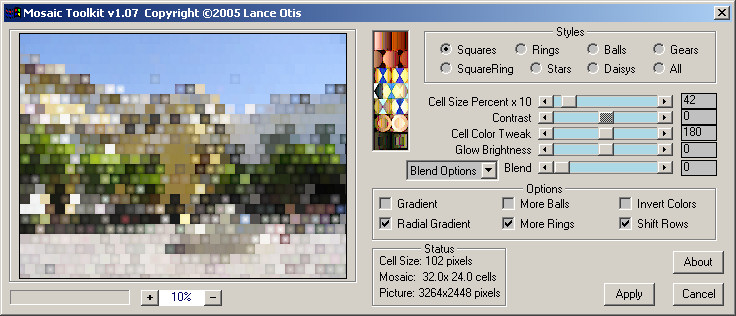
Example and screenshot
of Mosaic Toolkit
|
Mosaic Toolkit Version 2.55 applies mosaic effects to photos and other images. It provides 32 mosaic styles, e.g. Squares, Rings, Balls, Square Rings, Stars, Gears, Flowers, Diamonds, Triangles, Spirals, Bullet holes, Octagons, All, Hexagons, Pyramids, Source image, Gaudi Source Image, and Tiling of an external BMP File. You can vary cell size and contrast, color tweak cells, ball glow and brightness and blend the effect with the original photo. There are 17 optional effects including: gradient, radial gradient, color inversion, poster, chrome, and a row shift brickwork effects. You can now import an external BMP file, tile it, select a transparent color, and blend it with the source file.
The Illumination Fix Toolkit version 1.7 plugin lets you fix over or underexposed images with the special lighting gradients and now uses the LAB color space for more accurate lighting effects. The gradients can be adjusted by right-clicking on the preview and with two sliders. There are also blend options: a cool-warm slider and a shadow recolor effect. Version 1.7 is now Vista compatible and includes a help file. The FilterMeister source code is also included.
Download Links: